
Secure FTP Server #
You can configure a ReportWORQ Distributor to deliver output files securely to a remote folder via SFTP server.
Before you add the Secure FTP Distributor, you must set up a user account on the SFTP server. The user account must have SFTP enabled and have full permisions for a dedicated folder where ReportWORQ can create subfolders and deliver output files.
To configure a Secure FTP Distributor:
- In the ReportWORQ Administration interface, select the add icon
 beside the Distributors heading.
The New Report Distributor pane appears: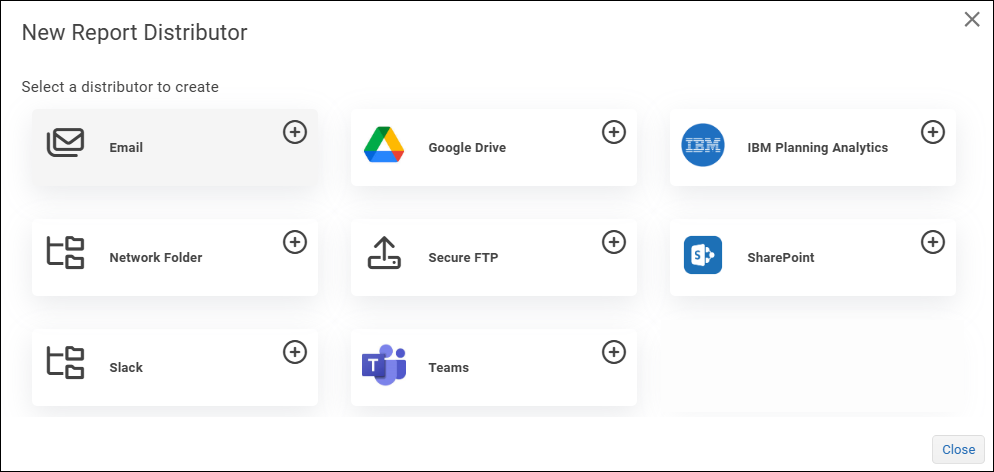
- Select Secure FTP.

The Distributor Settings dialog appears.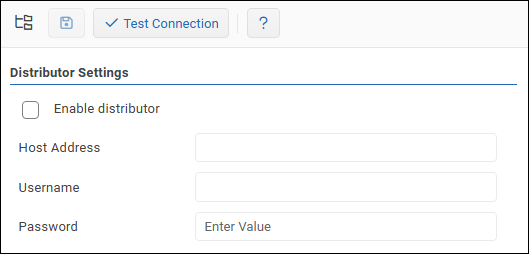
- Specify the following:
- Host Address — The IP address of the SFTP server.
- Username — The username for the SFTP user account.
- Password — The password for the SFTP user account.
- To confirm that the settings are properly configured, select Test Connection.

If the test fails, edit the settings as required and then test again. - Select the Enable distributor checkbox.
- Select the Save icon
 to save and apply the settings.


